A number in hand, the same one on screen.
Every visitor leaves with a ticket. Their number shows on the waiting-room TV, with a sound when it is their turn. The order is visible, so it stops being argued about.
See the screenTikiPro gives your front desk a simple way to hand out numbered tickets, call the next person, and show the queue on a screen. It runs on one PC and keeps your data on that machine.
1 month free. No card, no monthly charge.
Under active development — new features land regularly, and every installed desk updates itself.
Not an illustration — these are screenshots of TikiPro running on a normal PC.
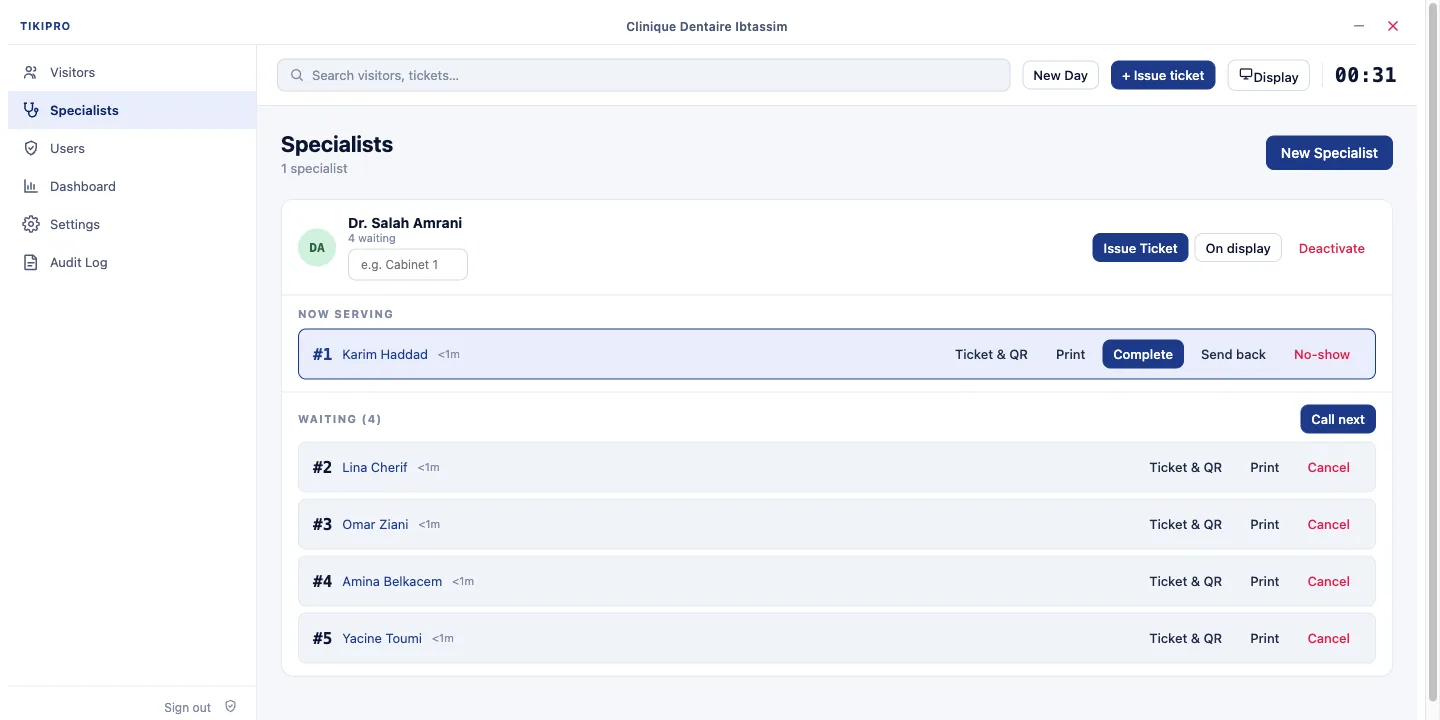
It all works with no internet, on the PC you already have.
Every visitor leaves with a ticket. Their number shows on the waiting-room TV, with a sound when it is their turn. The order is visible, so it stops being argued about.
See the screenSend the number on WhatsApp, Telegram, Viber or SMS — one button, nothing to pay. The visitor follows their place on their phone. Not there when called? The queue moves on and picks them up a little later — and a child, an emergency or an elderly visitor goes ahead, the same way for everyone.
See the hand-offNo kiosk, no wall panel, no box: the waiting-room screen is a second window on any HDMI display. And you see how many came, how long they really waited, and when it overflows — enough to decide on an opening hour or extra help. CSV or Excel export.
See the numbersNames and numbers stay encrypted on your computer. Everyone signs in with four digits and sees only their own part.
About securityThe visitor scans it with the camera they already have and follows their place. Nothing to download, no account.
See the queue on a phoneAn annual licence per computer — no monthly subscription, no hardware to buy. Both plans work offline and keep your data on your PC.
The front desk, done well
Add the phone and the reports
Tell us the size of your front desk and we send you the price. The trial opens every Complete feature for 30 days, whichever plan you pick — no card. Your data stays if you continue.
Don't see your question? Write to us — we answer quickly.
Day to day, no. Giving tickets, calling numbers and the waiting-area screen all work offline. TikiPro only needs the internet once — to activate the first time you install it on a computer.
On your own PC, in an encrypted database. It stays on that machine.
A Windows or Mac computer at the front desk. For a waiting-area screen, add a second monitor or a TV connected to the same PC.
TikiPro activates once, online, the first time you install it on a computer. After that it works offline — there is no subscription server to keep calling.
Pick your plan, fill in the form, and we'll reply within 24 hours with your download link. Every licence starts with a free month — no card needed. There's no public download.